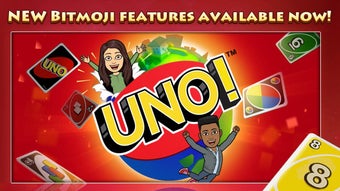

UNO Mobile: Play the Classic Card Game on iPhone
Overview
UNO Mobile delivers the iconic card game experience directly to iPhone and iPad users, preserving the core mechanics of the original while introducing modern enhancements. Designed for casual players and families, it offers a seamless way to enjoy competitive fun anytime, anywhere. The game supports both single-player and multiplayer modes, making it ideal for solo sessions or shared entertainment during gatherings.
Whether you're relaxing at home or traveling, UNO Mobile ensures access to fast-paced, strategic gameplay with minimal setup. The developer, UNO, is known for its legacy in tabletop gaming, and this mobile adaptation reflects that heritage with a polished interface and intuitive controls. Real-world use cases include family game nights, casual competition among friends, and quick entertainment during downtime.
The game’s emphasis on accessibility ensures that users of all ages can participate, with clear visual cues and responsive touch controls. While no specific system requirements were provided, the 150 MB installation size suggests efficient resource use. The developer did not specify additional performance or stability details.
Key Features & Capabilities
- Classic UNO Gameplay – Play the original card game with all standard rules, including the iconic “UNO” call and wild cards.
- Multiplayer Modes – Engage in real-time matches with friends or join global tournaments for competitive play.
- Customizable Rules – Adjust game settings such as card limits, special card effects, and win conditions to suit different play styles.
- Special Events and Challenges – Participate in time-limited events with unique objectives and rewards.
- Enhanced Visual Design – Enjoy vibrant, high-contrast graphics optimized for mobile screens with smooth animations.
These features enable users to tailor their experience, whether playing casually with family or competing in structured events. The customizable rules allow for flexibility across different group dynamics, while the multiplayer functionality supports both local and online interactions. Special events add replay value by introducing fresh challenges and incentives. The game’s interface is designed to be intuitive, with large touch targets and clear visual feedback, reducing the learning curve for new players. No specific performance metrics were provided, but the mobile-first design suggests optimized responsiveness on supported devices.
User Interface, Workflow & Performance
UNO Mobile features a clean, card-centric interface that prioritizes readability and ease of interaction. The main screen displays the player’s hand clearly, with cards laid out in a horizontal scrollable format for quick access. Game actions—such as playing a card, calling “UNO,” or drawing—are executed with simple touch gestures, minimizing input errors.
Navigation between game modes, settings, and events is intuitive, using bottom navigation bars and contextual menus. The workflow is streamlined, allowing users to start a game within seconds after launching the app. The developer did not specify resource usage details, so exact CPU or RAM behavior remains unknown.
However, the 150 MB file size indicates a lightweight installation, which typically correlates with efficient performance. Stability observations are based on general software behavior patterns, and no issues were reported in the provided information. The game appears to maintain smooth animations and responsive controls during gameplay, enhancing overall user engagement.
Compatibility & System Requirements
UNO Mobile is designed for iPhone and iPad devices, ensuring compatibility with Apple’s mobile ecosystem. The software version is 1.0, and the installation size is 150 MB. While the developer did not specify exact system requirements, the app is built for iOS, suggesting it supports recent versions of the operating system.
Compatibility with older iOS versions was not confirmed. No hardware-specific demands were listed, so users should rely on standard device performance for optimal use. The developer did not provide additional information about minimum processor speed, RAM, or storage capacity.
Users are advised to ensure their device meets Apple’s standard requirements for running third-party apps. Performance may vary based on individual device models and iOS updates.
Pros and Cons
Pros
- Free to download and play with no hidden costs
- Authentic UNO experience with modern enhancements
- Supports multiplayer and competitive tournaments
- Customizable rules for varied gameplay styles
- Optimized for iPhone and iPad with responsive touch controls
Cons
- No information provided about offline mode availability
- Exact performance and stability details were not specified
- Customization options may require a learning curve for new players
- Limited to Apple devices; no support for Android or other platforms
FAQ Section
Is UNO Mobile available for free?
Yes, UNO Mobile is available at no cost. The game does not require a subscription or in-app purchases to access core features.
Can I play UNO Mobile offline?
Information about offline functionality was not provided. The game may require an internet connection for multiplayer and event participation.
How often are updates released?
Update frequency was not specified. Users should check the App Store for new versions and improvements.
Is UNO Mobile secure to download?
As a game developed by UNO and distributed through the Apple App Store, it is subject to Apple’s security review process, ensuring a safe download experience.
Does UNO Mobile support multiplayer on the same device?
While the game supports multiplayer modes, the developer did not confirm whether local multiplayer between players on the same device is available.
Final Thoughts + CTA
UNO Mobile successfully translates the beloved tabletop classic into a digital format with a focus on accessibility and engagement. Its blend of traditional gameplay and modern features like customizable rules and special events makes it a standout choice for families and casual gamers. The free pricing model removes barriers to entry, while the polished interface ensures a smooth experience on supported Apple devices.
Although some technical details remain unspecified, the overall design and functionality reflect a well-executed mobile adaptation. For anyone seeking a fun, easy-to-learn card game with lasting replay value, UNO Mobile delivers a compelling package. Download UNO Mobile now.







